AcademyLauncher is currently in beta and launching soon.
Academy
Launcher
Features
Product
Use cases
Pricing
DocumentationLogin
Subscribe to updates

Get launch updates, product notes, and useful AcademyLauncher news.

  • Features
  • Courses
  • Administrator
Course administration

Run every course fromone command center.

Give creators room to teach while you keep control of quality, access, learner outcomes and the business behind your academy.

Create and govern every course
Manage instructors, cohorts and learners
Turn academy activity into actionable reports
Launch your academy Explore administration

No credit card required · Your brand, domain and learner data

AcademyLauncher learner management and course progress dashboard

Learner operations

Progress to action, instantly

Administrator view

Every course, connected

Central oversight

Operate every course and cohort from one place.

Creator autonomy

Let instructors build without giving up governance.

Learner visibility

Know where progress stalls and support is needed.

Business control

Connect delivery, access, sales and reporting.

Course creationLearnersCohortsCourse reviewsLive learning operationsReporting

From launch to optimization

The operating system behind your academy

AcademyLauncher connects the workflows that usually live in separate course, spreadsheet, video, CRM and reporting tools.

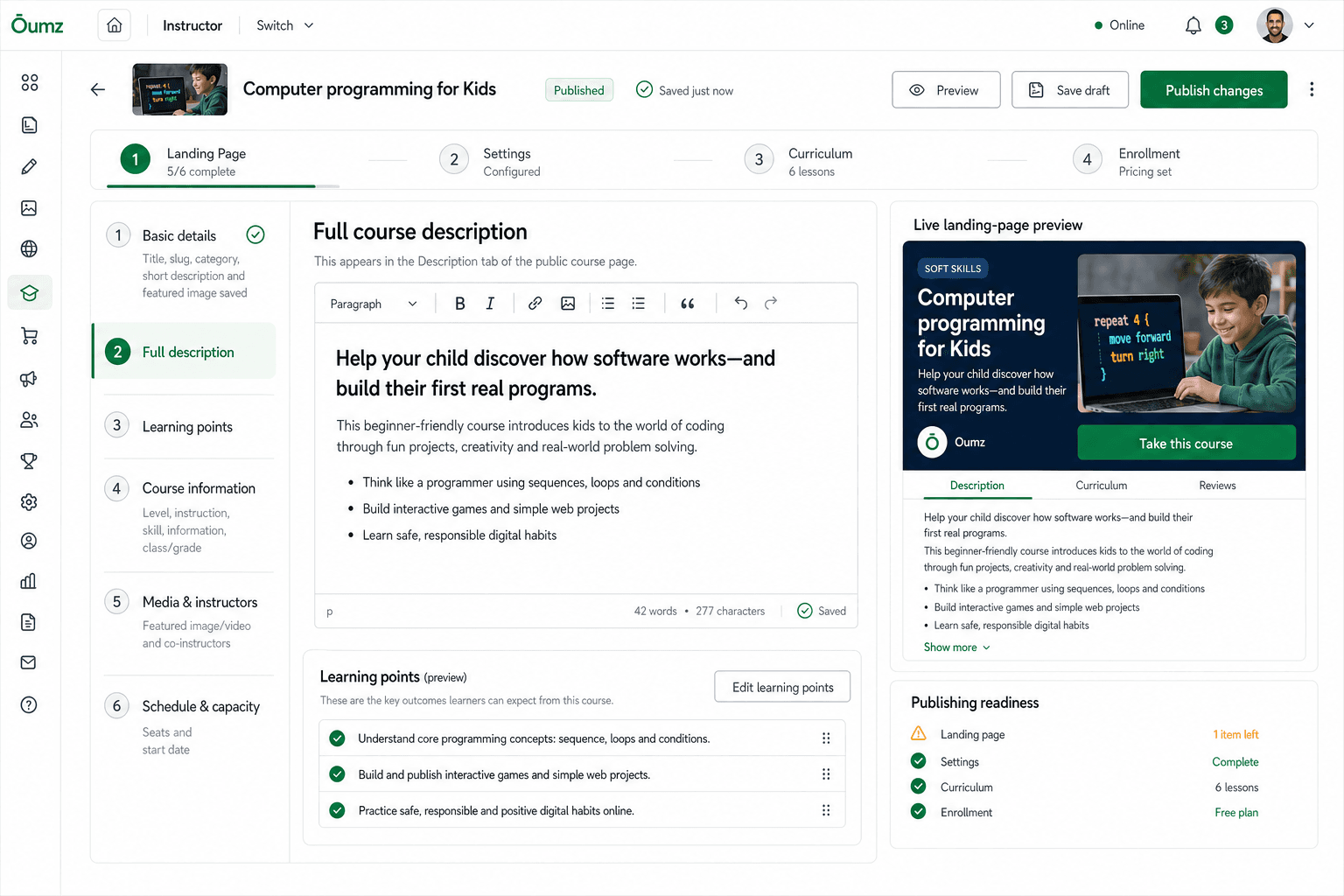
Course creation & publishing

Guide creators from course idea to ready-to-sell

Give every instructor a clear creation workflow for the landing page, settings, curriculum and enrollment—while administrators retain publishing oversight.

  • Step-by-step course readiness workflow
  • Live landing-page preview while creators write
  • Curriculum, enrollment and publishing controls
  • Draft, preview and publish without developer help
Explore course creation
Administrator workspace
AcademyLauncher complete course creation workspace with live landing page preview
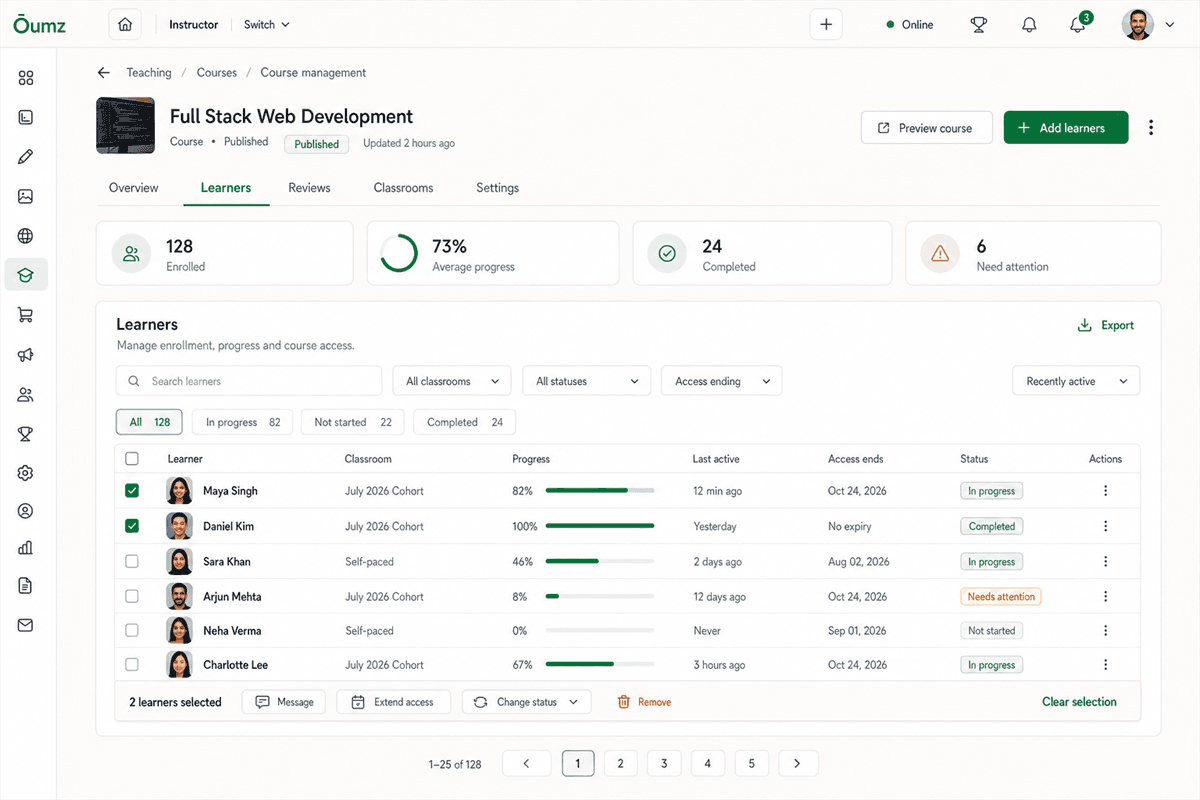
Learners & course access

Manage every enrollment without losing the human context

See who joined, how far they have progressed, when they were last active and who needs attention. Take action for one learner or an entire group.

  • Enrollment, progress and completion in one view
  • Filter by classroom, status and access window
  • Message learners or extend access in bulk
  • Surface inactive and at-risk learners early
Explore learner management
Administrator workspace
AcademyLauncher course learner management with enrollment and progress controls
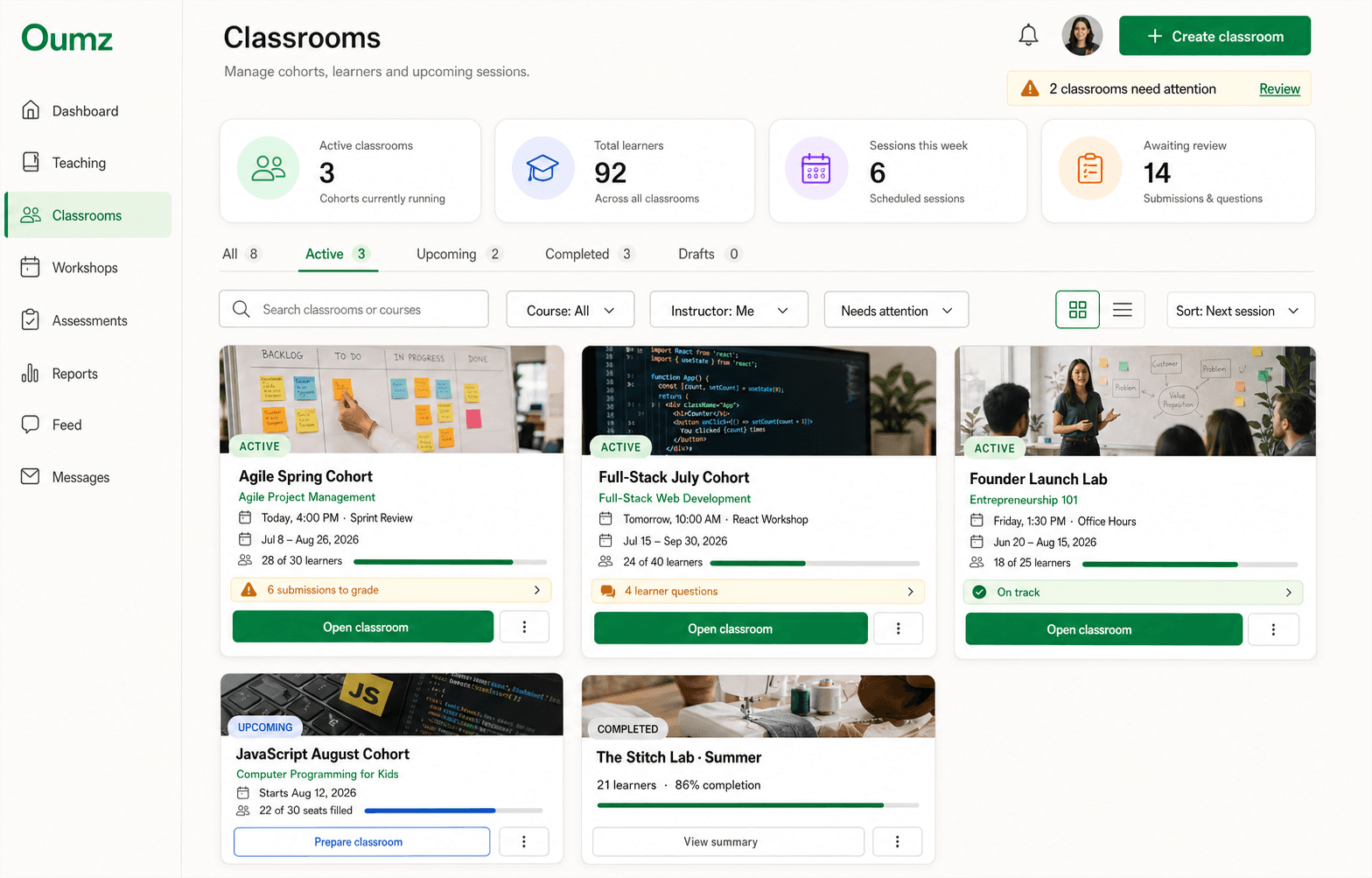
Cohorts & classrooms

Run multiple cohorts from one reusable course

Organize learners into classrooms with their own schedules, instructors, capacity and attention queues—without duplicating your curriculum.

  • Active, upcoming, completed and draft classrooms
  • Capacity and enrollment progress at a glance
  • Shared sessions, resources and announcements
  • Attention queues for grading and learner questions
Explore classrooms
Administrator workspace
AcademyLauncher classroom management with active and upcoming cohorts
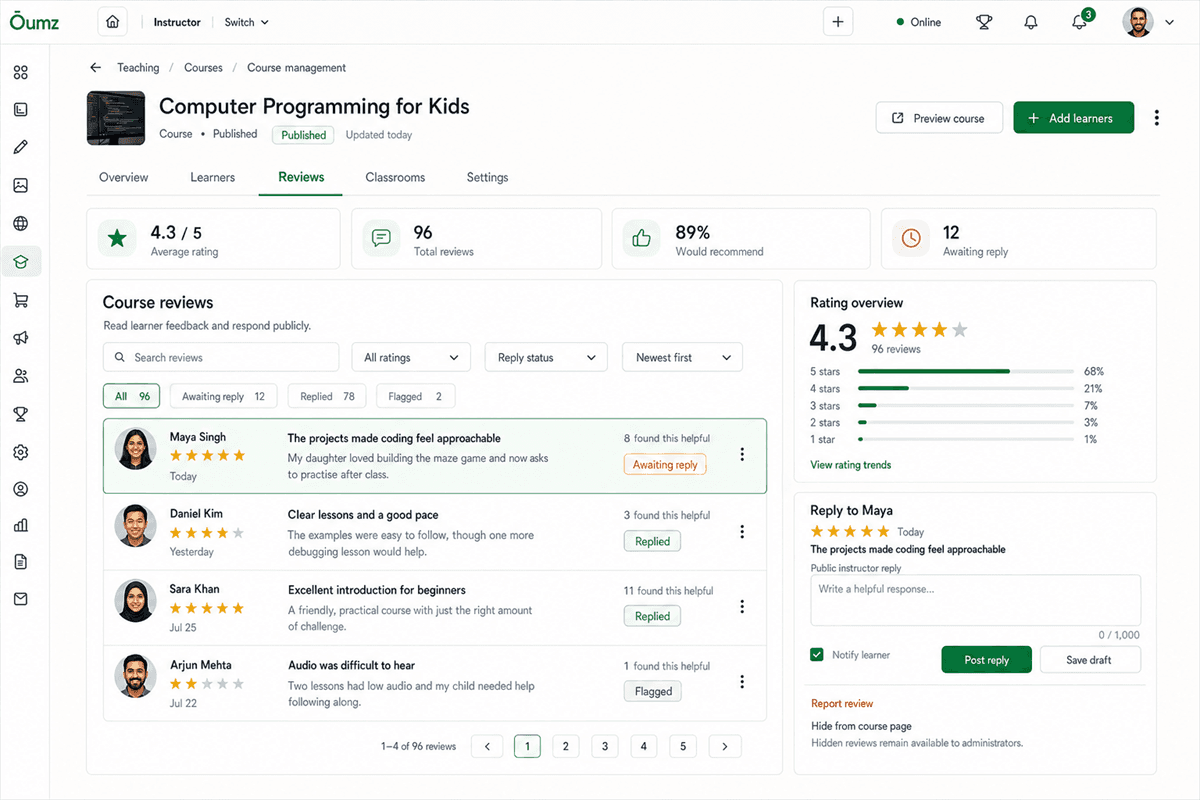
Course reviews & quality

Turn learner feedback into stronger courses and more trust

Monitor rating trends, respond publicly, flag issues and identify the course improvements that matter most to current and future learners.

  • Average rating and recommendation signals
  • Review filters and reply-status workflow
  • Public responses with draft controls
  • Rating distribution and trend visibility
Explore course reviews
Administrator workspace
AcademyLauncher course review management and rating overview
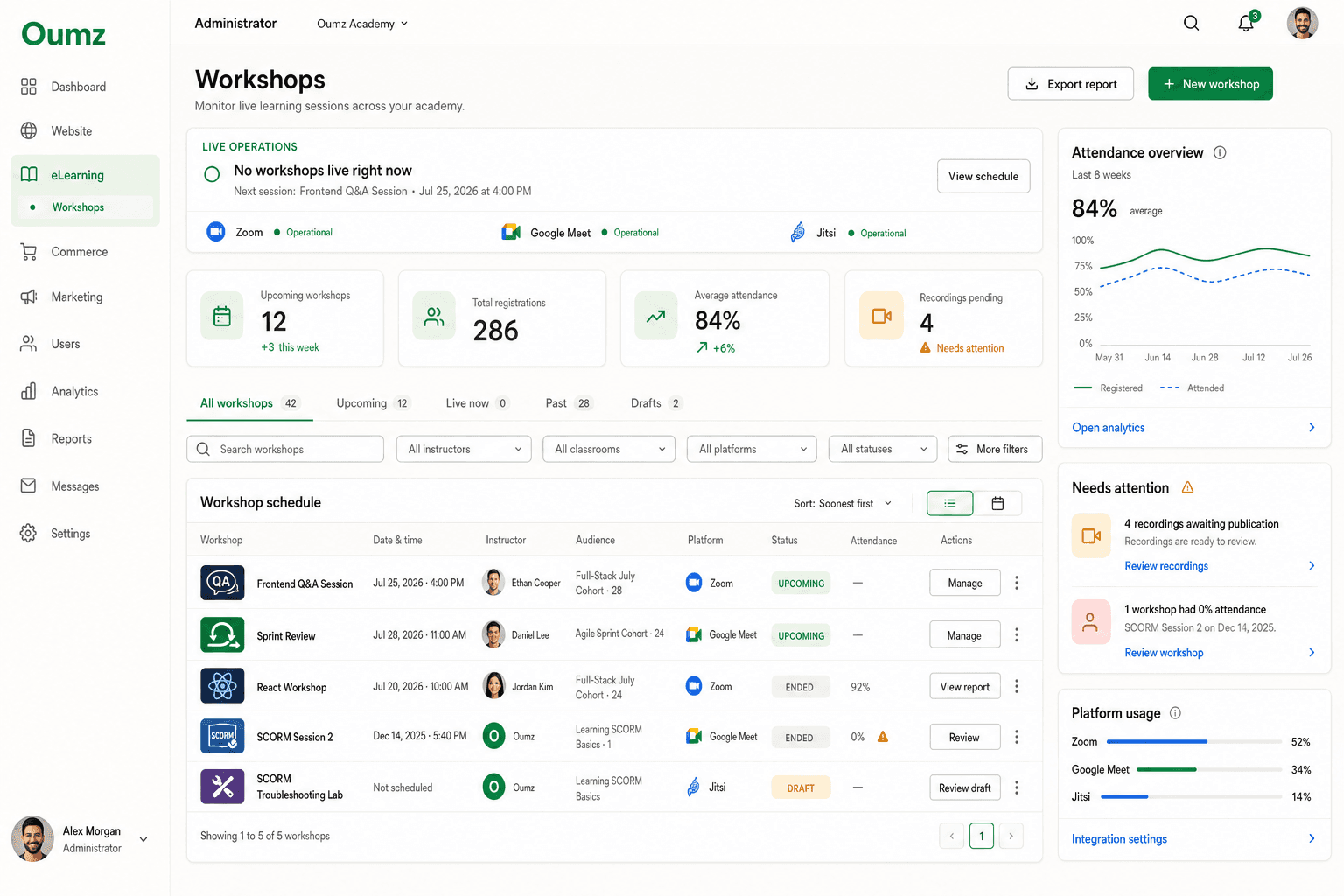
Live learning operations

Coordinate workshops across your entire academy

Schedule live learning, compare attendance and keep Zoom, Google Meet and Jitsi sessions operational from a single administrator workspace.

  • Academy-wide workshop schedule
  • Instructor, classroom and platform filters
  • Attendance trends and recording queues
  • Live platform health and usage visibility
Explore live workshops
Administrator workspace
AcademyLauncher administrator workshop schedule and attendance reporting
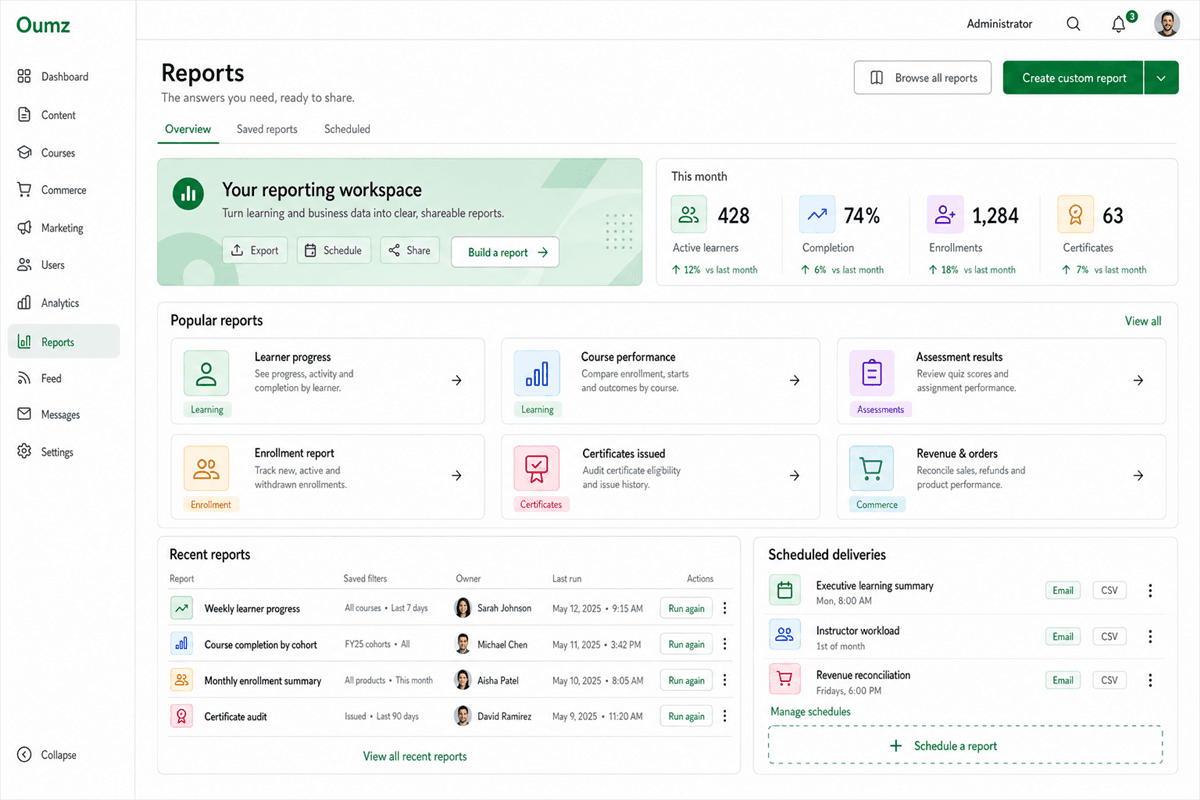
Reporting & decisions

Turn learning and business activity into answers

Build, save and schedule reports across learner progress, course performance, assessments, enrollments, certificates and revenue.

  • Ready-made reports for common academy questions
  • Custom reports with saved filters
  • Scheduled email and CSV delivery
  • Learning and revenue reporting together
Explore reporting
Administrator workspace
AcademyLauncher reporting workspace with popular and scheduled reports

Built for real operations

Control without becoming the bottleneck

Set the structure once, then let creators, instructors and support teams do their best work inside clear boundaries.

Course catalog

Organize courses, categories, status and publishing.

View detailed guide

Creator workflows

Give instructors a guided path from setup to launch.

View detailed guide

Learner access

Manage enrollments, expiry, progress and interventions.

View detailed guide

Assessments

Keep submissions, grading and results under control.

View detailed guide

Communication

Coordinate announcements, messages and feedback.

View detailed guide

Live delivery

Manage workshops, classrooms and attendance.

View detailed guide
Built for course creators who are growing

Operate a professional academy from day one.

Keep creators productive, learners supported and every important decision connected to real academy data.

Launch your academy Back to Courses
Unlimited course potential
Role-based access
Branded experience
Connected commerce
Built-in reporting
Your learner data
Products
  • Launch your Academy
  • Ecommerce & Memberships
  • Groups & Communities
  • Affiliates & Funnels
  • Integrations
Support
  • Contact Us
  • Contact Support
  • KnowledgeBase
  • Facebook Community
  • Follow on X
Company
  • About
  • Affiliates
  • Privacy Policy
  • Terms & Conditions
  • Refund Policy
Partners
  • Power Elite Author Themeforest
  • WPLMS
  • VibeThemes
  • Appointify
Stay Connected

Subscribe to our newsletter

© 2025 AcademyLauncher. All rights reserved.
  • Features
  • Documentation
  • Pricing
  • Documentation
  • Blog
  • Login