AcademyLauncher is currently in beta and launching soon.
- Accounts
- About
- Objective
- Features
- Documentation
- Documentation Builder
- Setup
- Setup Domain
- Page Builder
- BYOS
- LMS
- About LMS
- Creating Courses
- Course Management
- CMS
- Site Features
- Blog & Post management
- Media
- Live Customizer
- Workshops
- Google Meet in Workshops & Google login
- Community
- Community features
- Users
- eCommerce
- Products
- Memberships
- Orders
- Subscriptions
- Payments
- Configuring Stripe
- Payment Settings
- Configuring Razorpay
- Reports
- Dashboard
- Administrator
- Policy
- Privacy Policy
- FAQ
- Default Storage
- Setting up site logo, title
- Customize Dashboard Menu
Setting up Theme colors
Updated on Thu Sep 26 2024
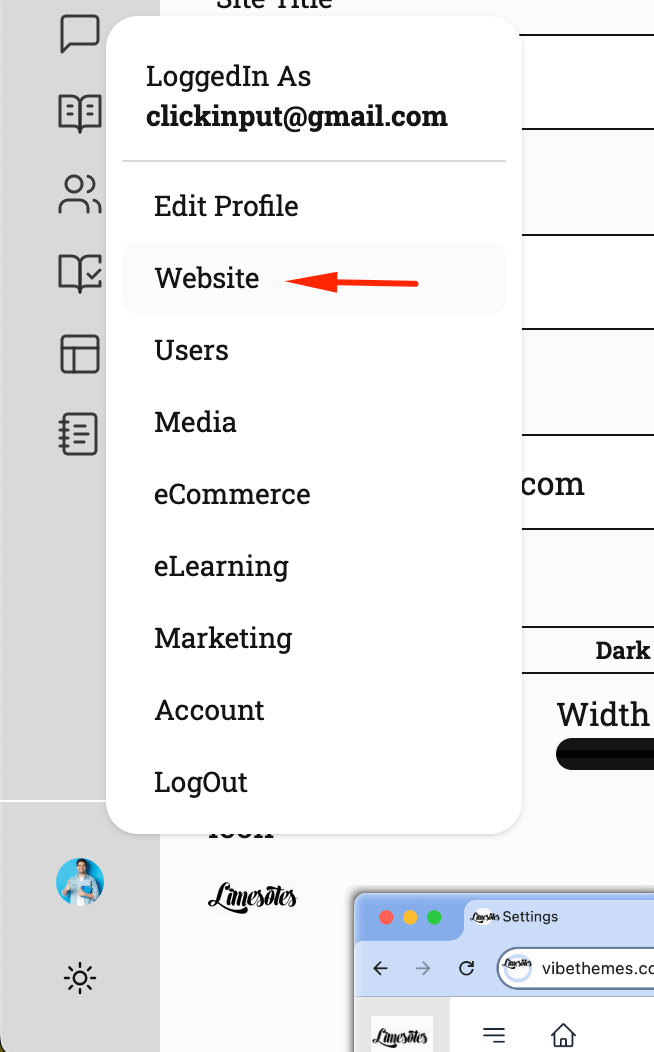
To setup theme colors , you have to visit the Website section under administration menu.
Go to Website menu
Click on Theme and setup colors and fonts for your site

here you can customize the theme colors for your site. These colors apply both on the front end and the management section of your website.
Here you can also manage fonts, we have a preselected set of fonts available and if you have suggestions for font you can suggest us using the contact form.
note : This menu is only available to users who are marked with “Administer site” capability.