- CMS
- Creating and Publishing a New Blog Post
- How to Create and Edit Pages using Page Templates
- Creating PageBuilder Elements
- How To Send A Custom Message With Attachments
- Customizing Your Website Header and Header Settings
- Users
- eLearning
- Courses
- eCommerce
- Customize
- Customize Dashboard Menu
- Landing Pages using Claude or Codes
- Customize User Dashboard
Create Courses
Creating Courses in AcademyLauncher is really easy.
Only users which have a role with create course capability can create a course. Usually during setup we set up an instructor user role which you can manage from the role management.
Head over to the Instructor panel and you will see a Add New button to create a Course
.png)
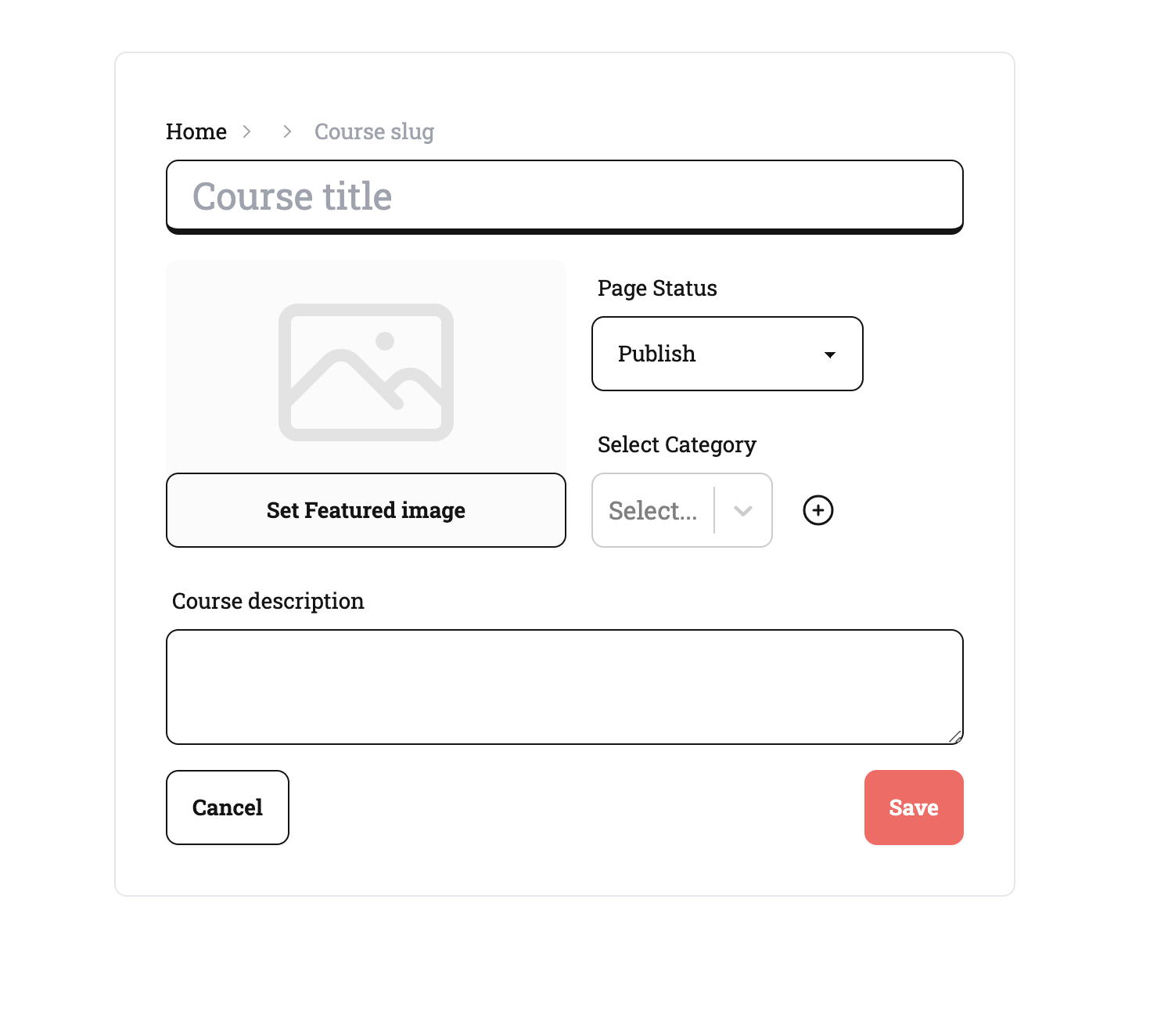
clicking on this you will land on the create course page.
Here you specify the course title, a short course description, a featured image, a status of the course [ if this is live immediately, coming soon or in draft status] then you can select course category or create a new category to which the course will be assigned to.
Few important notes
The title and the short description are searchable fields on which course search works
New course category can be created but deletion of category can only be done from Administration Center, only.
Once the course is created the course is shown in the panel. From where you can now Edit the course
.png)
and from editing the course all the course functions now begin.