AI Changed the Threat Equation: Why Moving from WordPress to AcademyLauncher Is the Smart Move
WordPress helped democratize publishing. It gave millions of people a practical way to launch websites without building everything from scratch, and it still powers an extraordinary share of the web.
But running an online academy in 2026 is not the same thing as publishing a blog.
A serious learning business needs courses, memberships, payments, communities, email, automations, live sessions, analytics, certificates, affiliates, mobile experiences and reliable student access. On WordPress, those capabilities usually arrive through a growing collection of plugins, themes, hosting tools and third-party integrations.
That flexibility once felt like freedom. In the age of AI-powered attacks, it increasingly looks like operational debt.
The smartest move is not to spend more of your week maintaining the machinery. It is to move the machinery to a platform built to operate it for you.
Why WordPress attracts so much attention from attackers
WordPress is not automatically insecure, and a professionally maintained WordPress installation can be hardened. The real issue is exposure.
W3Techs reported on 18 June 2026 that WordPress powered 41.5% of all websites and 59.3% of websites with a known content-management system. That enormous footprint makes it one of the most economically attractive targets on the internet. An attacker who develops or automates one successful technique can search for the same weakness across a vast number of sites.
The risk is amplified by the ecosystem surrounding WordPress. An academy is rarely just WordPress core. It may include an LMS plugin, page builder, community plugin, checkout system, membership tool, form builder, analytics scripts, email connector, video integration, backup tool, security plugin and a theme—each with its own code, permissions, update cycle and compatibility risks.
WordPress's own security guidance makes the maintenance responsibility clear. Site owners must keep core software current, choose trusted plugins and themes, secure hosting and databases, manage file permissions, protect administrator access, maintain backups, monitor activity and respond when vulnerabilities are disclosed. The guide also warns that once a vulnerability and its fix become public, old versions become more open to attack.
In other words, WordPress can be secured—but you are part of the security team whether you intended to be or not.
The plugin problem is really a supply-chain problem
Every additional plugin is another dependency you must trust.
You are trusting its developer to write secure code, respond quickly to reports, ship a compatible fix, communicate the risk and continue maintaining the product. You are then trusting your team to notice the update, understand its impact, back up the site, install it promptly and confirm it did not break checkout, course access or another plugin.
This creates a difficult trade-off. Update too slowly and a known weakness may remain exposed. Update immediately without testing and you may break the student experience or revenue flow.
For a hobby site, that is inconvenient. For an academy processing payments and holding student records, it is a business risk.
AI makes the attacker's economics dramatically better
Before generative AI became widely available, attackers were already using bots to scan the web, attempt stolen passwords and exploit known weaknesses. WordPress's own documentation notes that many attacks are autonomous and commonly involve exploit requests against outdated software or brute-force login attempts.
AI does not magically invent every attack. What it does is make familiar attack work faster, cheaper and available to more people.
The UK National Cyber Security Centre assessed that AI would almost certainly increase the volume and impact of cyberattacks. It highlighted capability gains in reconnaissance, social engineering and vulnerability research, and warned that AI could make identifying vulnerable devices quicker and more precise. Google Threat Intelligence has also observed threat actors using generative AI for reconnaissance, vulnerability research, scripting, payload development and troubleshooting.
That changes the operating environment for a plugin-heavy academy.
Attackers can analyze public vulnerability disclosures faster. They can produce variations of phishing emails at scale. They can translate scams into polished language. They can automate reconnaissance and identify sites that reveal specific plugins or outdated components. They can troubleshoot malicious scripts and lower the level of expertise needed to participate.
The vulnerability may not be new. The speed, scale and accessibility of exploiting it are.
Your academy should be a business, not a permanent integration project
The security burden is only one part of the WordPress problem.
A typical WordPress academy owner also has to coordinate hosting, caching, backups, domain configuration, transactional email, plugin licenses, cron jobs, payment webhooks, database optimization, spam prevention, mobile responsiveness and plugin conflicts.
When something goes wrong, responsibility is fragmented. The host may blame a plugin. The plugin developer may blame the theme. The theme vendor may blame custom code. Meanwhile, students cannot log in and your launch clock is still ticking.
A creator should spend time improving instruction, serving students and growing the business—not diagnosing why a plugin update broke enrollment at midnight.
Why AcademyLauncher is a smarter architecture
AcademyLauncher is built as an integrated platform for course creators, educators, coaches and training businesses. Courses, communities, memberships, commerce, automations, funnels and other academy functions are designed to work inside one managed system.
That changes your role.
Instead of assembling and securing a separate software stack, you configure your academy. Instead of monitoring a collection of plugin vendors, you receive platform improvements through a managed product. Instead of maintaining compatibility between independent components, you work within an integrated experience.
The advantages are practical:
One platform instead of a patchwork stack. Fewer independently maintained components mean fewer compatibility decisions for your team.
Managed updates. Platform improvements can be deployed centrally rather than requiring every academy owner to become a release manager.
A consistent student experience. Courses, communities, payments and memberships belong to the same product experience rather than feeling bolted together.
Reduced maintenance overhead. You do not need to spend your best hours on plugin conflicts, database cleanup or emergency update testing.
A clearer support path. You are not trapped between a host, theme vendor and five plugin companies when a core workflow fails.
Built for learning businesses. WordPress begins as a general publishing system. AcademyLauncher begins with the workflows an academy actually needs.
Better focus. Every hour not spent maintaining infrastructure can be invested in content, student success, marketing and revenue.
Security is not a feature you install once
A common WordPress response is to add another security plugin. Security plugins can be valuable, but they cannot eliminate the complexity of the underlying environment. They still operate alongside many other components, and they do not remove the owner's responsibility to patch, configure, monitor and recover.
Real security is a continuing process: reducing the number of moving parts, controlling changes, limiting access, monitoring abuse, maintaining backups and responding quickly when risk changes.
A managed SaaS platform does not make risk disappear. No responsible technology company should promise that. What it does is move much of the infrastructure, update and compatibility burden away from each individual creator and into a centrally managed platform operation.
-
For most academy owners, that is a far more sensible allocation of responsibility.
When should you migrate?
You should seriously consider moving from WordPress if:
You delay updates because you are afraid they will break the site.
Your academy depends on multiple plugins from unrelated vendors.
You pay separately for hosting, LMS, community, email, checkout, security, backups and automation.
Your team cannot clearly identify who is responsible when the platform fails.
You have experienced malware, spam, account takeovers, unexplained redirects or recurring cleanup bills.
Your site becomes slow or unstable during launches.
You want to grow without hiring someone simply to keep the stack alive.
You would rather build your academy than maintain its server.
The smartest migration is the one made before an emergency
Many businesses migrate only after a serious failure: a hacked site, broken checkout, lost weekend, damaged search rankings or an angry wave of locked-out students.
That is the most expensive moment to move.
A planned migration lets you inventory courses and users, clean up outdated content, map payment and community workflows, communicate with students and launch the new academy on your timetable.
WordPress earned its place in internet history. But the architecture that made it endlessly extensible also creates a maintenance and security burden that modern course businesses no longer need to accept.
AI has made attackers faster. Your response should not be to become a full-time WordPress administrator. It should be to choose a platform designed to absorb the complexity for you.
Move to AcademyLauncher. Put your energy back where it belongs: your teaching, your students and your growth.
Sources and further reading
W3Techs, WordPress usage statistics and market share: https://w3techs.com/technologies/details/cm-wordpress
WordPress Developer Resources, Hardening WordPress: https://developer.wordpress.org/advanced-administration/security/hardening/
UK National Cyber Security Centre, The near-term impact of AI on the cyber threat: https://www.ncsc.gov.uk/report/impact-of-ai-on-cyber-threat
Google Threat Intelligence Group, Adversarial Misuse of Generative AI: https://cloud.google.com/blog/topics/threat-intelligence/adversarial-misuse-generative-ai
Keep reading
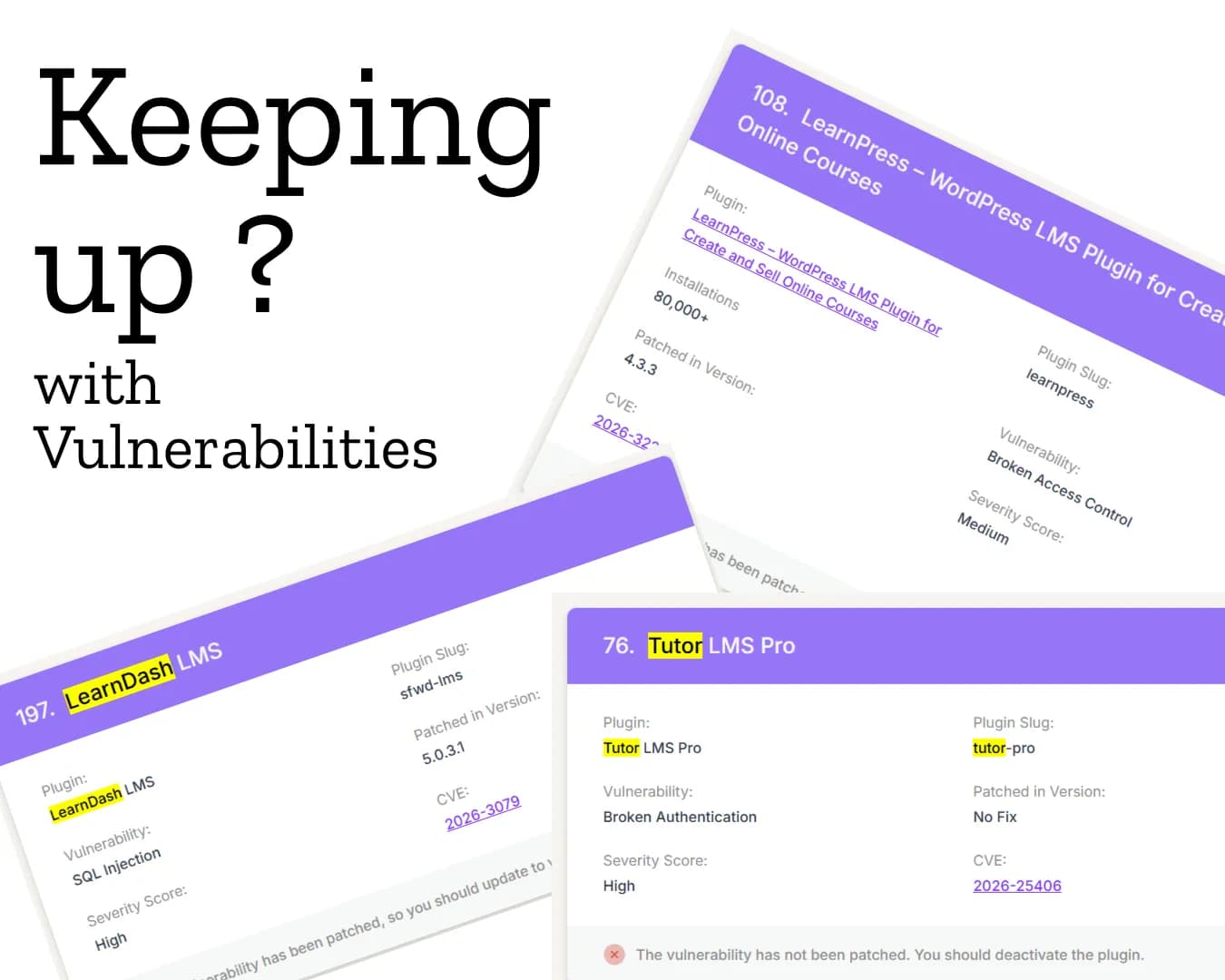
# Still Running Your Business on WordPress? Here’s the Security Risk No One Talks About
In 2025 alone, the WordPress ecosystem saw 11,334

When Private Equity Buys the Brand Customers Built
Customers do more than purchase software. Customers helped build LearnDash into a trusted independent brand, but had little say when ownership changed.Its absorption into Liquid Web shows how private equity can turn a category leader into just another portfolio product.